
How to add music to a video on iPhone
The short answer
- Open Muse, tap New video and pick your clips.
- Tap Music.
- Pick a song in Catalogue or My Music, then tap Add to project.
- Trim it and set the Music level.
- Tap Export, then Save to Photos.


iPhone’s Photos app can trim a video but cannot add music to it. Muse can: your own songs, the sound from another video, or 40 licensed tracks, on the same timeline as your clips.
1Start a new video and pick your clips
On Home, tap New video. Tap the clips you want, photos & videos together if you like: the order you tap is the order they play, and you can hold and drag to reorder. Tap New video at the bottom, and the editor opens with your clips in place.
2Tap Music
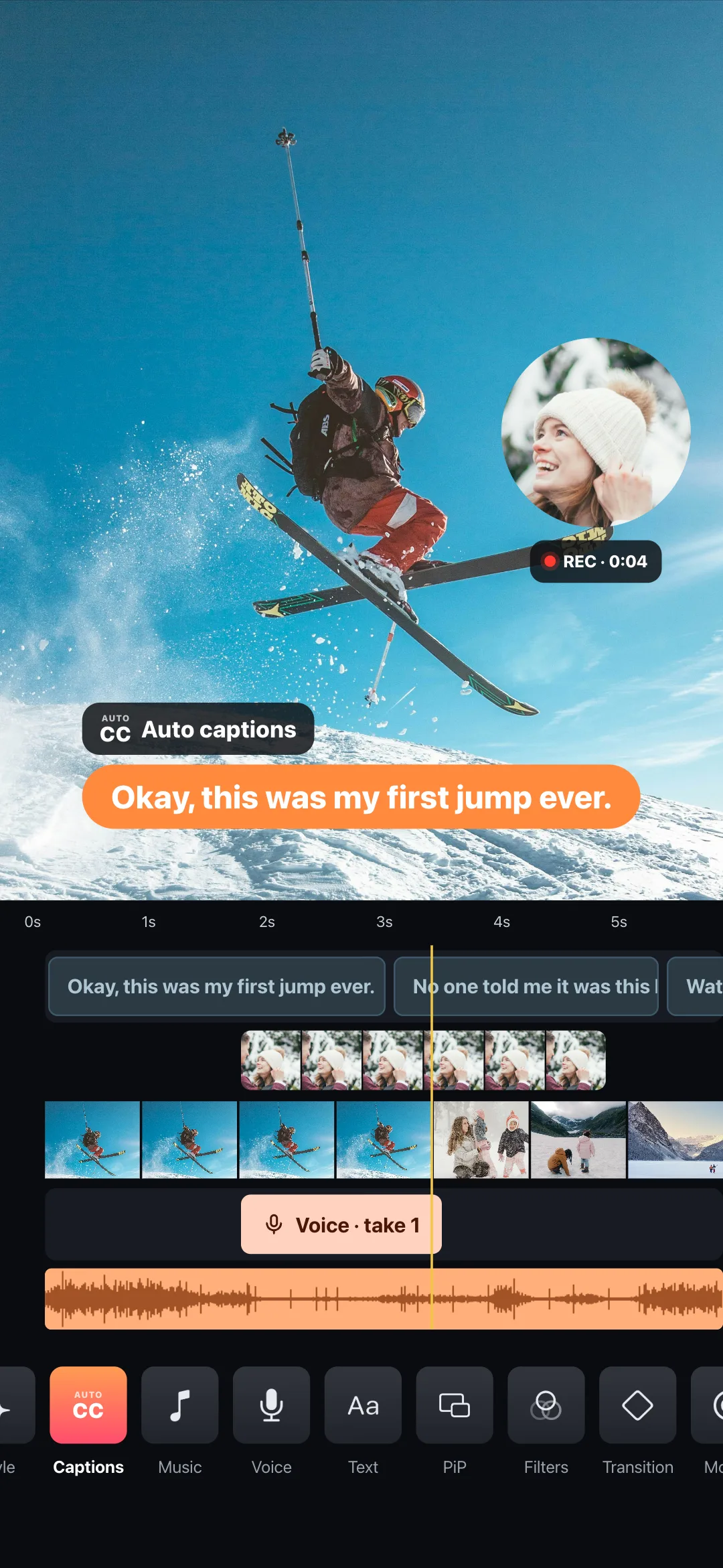
The tools sit in a row under the timeline: tap Music. Everything you add lands on its own lane on the same timeline: clips, music, titles, your voice.
3Choose a song
Catalogue is 40 licensed tracks in 8 categories, the first in each free. My Music is the songs in your iPhone’s Music app. Extracted appears once you have taken the sound from another video. Search, tap a song to hear it, then tap Add to project.
Why are some of my songs greyed out? Songs streamed from Apple Music are protected, so no editing app can use them. Muse shows them anyway, greyed, with the reason, instead of hiding them.
4Trim the song and set the music level
The song lands on the music lane under your clips. Drag its ends to keep the part you want, and set Music level so voices stay clear.
TRY IT: THE MUSIC LEVEL
Where the voice take sits, the music drops by itself. That is the ducking Muse does when you talk over a film.
5Export and save to Photos
Tap Export, pick a size, and Save to Photos. Free videos are 720p with a small watermark; Pro saves 1080p, 2K and 4K without it.
What’s free
Questions
Can I use songs from Apple Music or Spotify?
No. Streamed songs are protected, and no editing app can put them in a video. Muse shows them greyed out with the reason, so you are never left wondering. Songs you bought, or added to your phone yourself, work.
Can I post a video with a Catalogue song on Instagram or YouTube?
The 40 Catalogue tracks are licensed and cleared for commercial use: yours to publish.
Does this work on Android?
Yes, Muse is on Google Play, and the steps are the same.
Do I need an account?
No. Nothing to sign up for, nothing to log into.